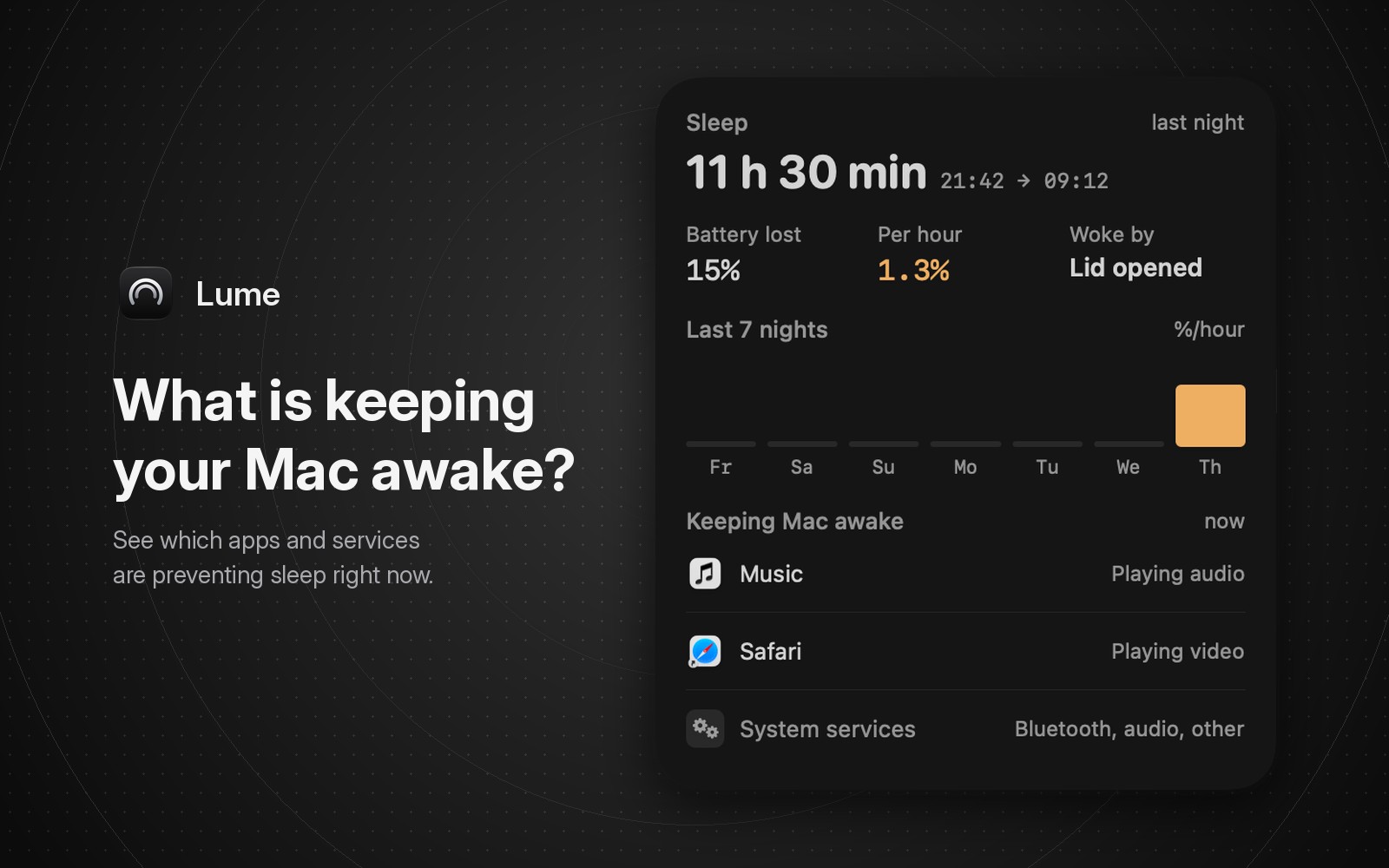
An app or system service is holding a power assertion, which tells macOS not to idle-sleep. To see which one, open Activity Monitor, click Energy, and look at the Preventing Sleep column. For the exact process and its reason, run pmset -g assertions in Terminal and look for PreventUserIdleSystemSleep and PreventUserIdleDisplaySleep.
Check Activity Monitor's Preventing Sleep column
Open Activity Monitor and click Energy. Apple describes the Preventing Sleep column as "whether this app is preventing your Mac from going to sleep". If the column isn't there, add it from View > Columns. Click the column header to sort, and the apps that say Yes move together.
That is enough for most cases. An app that says Yes is usually doing something you asked for: playing a video, a call, a download, a backup. Let it finish or quit it.
The column only shows Yes or No. To see the reason an app gave, use pmset in Terminal.
Check power assertions with pmset
pmset -g assertions
The pmset man page says processes can override sleep settings with "I/O Kit power assertions", and that this command lists those processes. The output has two parts.
"Assertion status system-wide" is a list of assertion types with a 1 or 0. If PreventUserIdleSystemSleep or PreventUserIdleDisplaySleep is 1, something is stopping the Mac from going to sleep on its own. Other types, such as BackgroundTask, show up too.
"Listed by owning process" shows who holds each one, with a name the process chose. This is from one of our MacBooks on November 14, 2026, shortened:
pid 615(bluetoothd): PreventUserIdleSystemSleep named: "com.apple.BTStack"
pid 565(powerd): PreventUserIdleSystemSleep named: "Powerd - Prevent sleep while display is on"
pid 603(dasd): BackgroundTask named: "DASActivity:...Safari.SafeBrowsing..."
pid 1024(cloudd): SystemIsActive named: "NSURLSessionTask ..."
The powerd line is always there while the screen is on, as its name says, so you can ignore it. The bluetoothd line was Bluetooth holding off idle sleep at that moment.
| Assertion type | What it does, per Apple's IOKit header |
|---|---|
| PreventUserIdleSystemSleep | Stops the Mac sleeping because nobody is using it. The display can still turn off. |
| PreventUserIdleDisplaySleep | Stops the display turning off for inactivity. While it holds, the Mac can't idle-sleep either. |
| NetworkClientActive | Keeps the Mac awake while it serves network clients, on the charger. On battery it can stop idle sleep. |
Apple's header for PreventUserIdleSystemSleep also says the Mac can still sleep when you close the lid, choose Sleep from the Apple menu, or the battery runs low. An app holding this assertion only stops idle sleep.
Check what kept your Mac awake earlier
pmset -g assertions shows the current moment. For the past, use pmset -g log, which records assertions being created and released as Assertions lines. pmset -g log | grep Assertions | tail -50 shows the latest. In our log, a browser playing short videos created and released a "Video Wake Lock" assertion several times in a few minutes.
If caffeinate is in the list, you or a script started it. Its man page says it creates assertions until it exits, and caffeinate -i is the form that prevents idle sleep.
Settings and hardware that keep a Mac awake
Apple's guide "If your Mac sleeps or wakes unexpectedly" lists a few causes that won't always show as an app:
- Spotlight indexing. Apple says the Mac won't sleep while Spotlight indexes, which can take hours.
- Sharing services, such as a printer or files someone is using from another computer. Turn off the ones you don't use in System Settings > General > Sharing.
- USB and Thunderbolt devices that malfunction.
- On a MacBook on the charger: "Prevent automatic sleeping on power adapter when the display is off" in Battery settings, under Options.
How Lume lists what's keeping the Mac awake
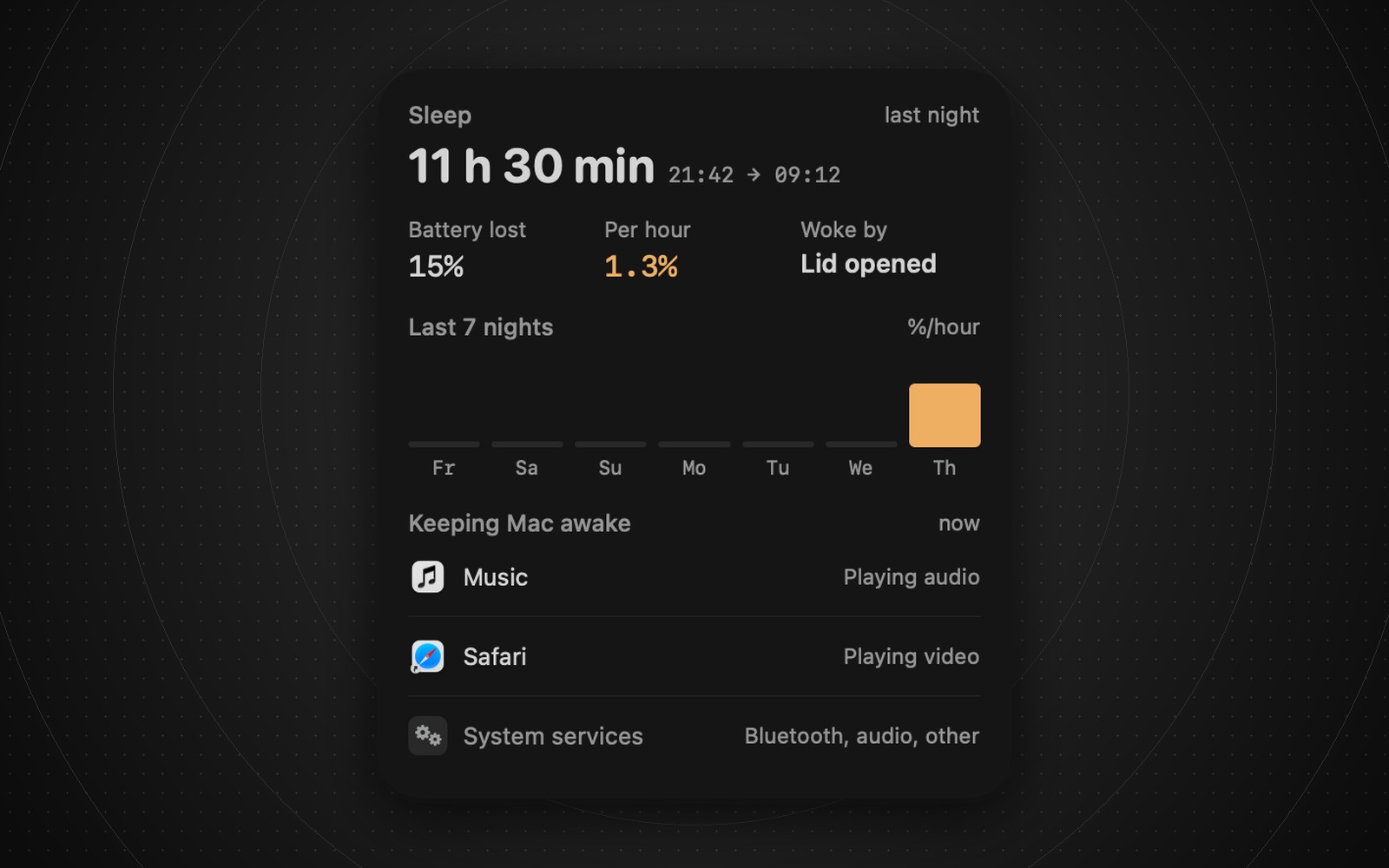
Lume's Sleep card has a section called Keeping Mac awake, marked "now". It is on the Battery page of the menu bar panel (the Power page on desktop Macs), and it is free.
Apps are listed by name and icon with a short reason: Playing audio, Playing video, In a call, Transferring files, Syncing, or Preventing idle sleep. System processes are folded into one row, System services, with names you'd recognize: Bluetooth, audio, Time Machine, iCloud, Spotlight, Software Update, AirDrop. When nothing is holding the Mac, it says "Nothing is keeping your Mac awake."
It answers the same question as pmset -g assertions, in plain names. It doesn't quit anything for you. If Safari is playing a video in a background tab, you still have to find the tab.
For a single daemon you don't recognize, pmset is better, because it gives the process name and the assertion's own name. Lume groups those into System services on purpose, so the row stays readable. pmset is also the place for the full list, including apps that only keep the display on.
The rest of the Sleep card shows what happened overnight: how long the Mac slept, how much battery it used, and what woke it. We cover those in why is my Mac losing battery while asleep and what woke my Mac.
FAQ
Why won't my Mac go to sleep?
Usually an app or service is holding a power assertion: audio, video, a call, a download, a backup, or Spotlight indexing. Activity Monitor's Energy tab shows which app.
Is powerd "Prevent sleep while display is on" a problem?
No, that's normal. powerd holds it while the display is on, as its name says.
Does a power assertion stop sleep when I close the lid?
No. A PreventUserIdleSystemSleep assertion only blocks idle sleep. Apple's IOKit header says closing the lid, choosing Sleep from the Apple menu, or a low battery can still put the Mac to sleep.
Lume 0.2.0 is free on the Mac App Store, for macOS 14 or later. If the Mac is awake and also slow or hot, see why is my Mac slow and the fan loud.