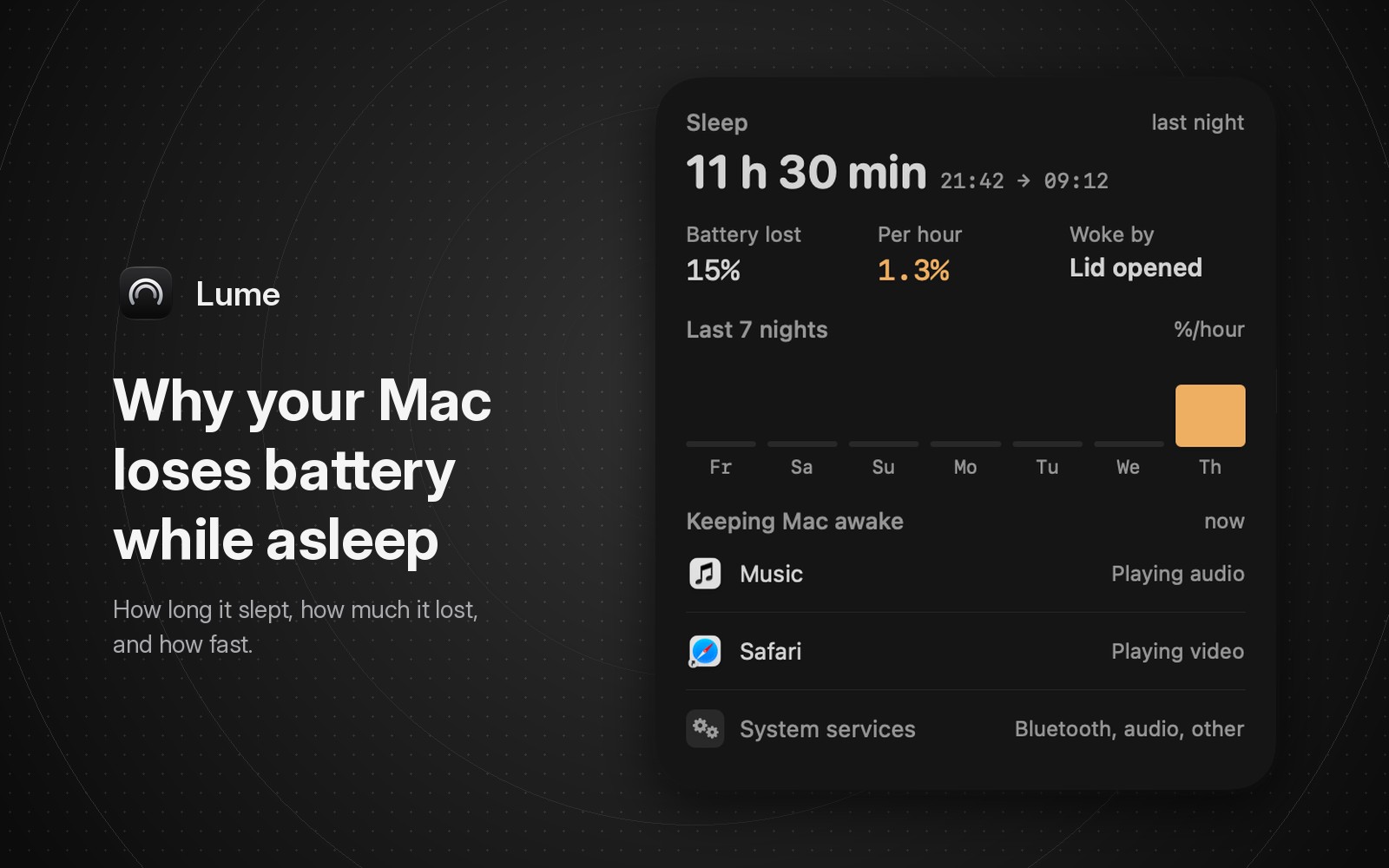
A MacBook that loses a lot of charge overnight was usually not fully asleep. Either it kept waking briefly in the background (DarkWake), for example because of a timer, the network, or a connected device, or an app held it awake after you stopped using it.
To find out which, measure the drain first: compare the charge when the Mac went to sleep with the charge when it woke, using pmset -g log or the battery graph in Battery settings. Then look at what woke it and what was keeping it awake.
| Question | Built-in place to look | In Lume |
|---|---|---|
| How much charge did it lose overnight? | pmset -g log, Sleep and Wake lines | Sleep card: Battery lost |
| Was that fast or slow? | Work it out by hand | Sleep card: Per hour |
| What woke it? | pmset -g log, wake lines | Sleep card: Woke by |
| What is keeping it awake right now? | pmset -g assertions, or Activity Monitor's Energy tab | Sleep card: Keeping Mac awake |
| Is last night unusual? | Compare nights in pmset -g log | Last 7 nights chart |
Check the drain in Battery settings
Open System Settings, then Battery. The Last 24 Hours view has a Battery Level graph. Apple describes it as the average charge for each 15-minute period, with shaded areas where the Mac was charging.
That is enough for a first look. A flat line through the night means the sleep was fine. A line that slopes down steadily from bedtime to morning means the Mac used power while you weren't using it.
The graph only covers the last 24 hours and doesn't mark when the Mac slept or woke, so for exact times you need the power log.
How to check sleep battery drain with pmset
pmset is the power management tool that ships with macOS. Its man page describes pmset -g log as "a history of sleeps, wakes, and other power management events". It is meant for admins and debugging, so the output is long. On one of our Macs it was over 200,000 lines. Filter it to sleep and wake events:
pmset -g log | grep -E " (Sleep|Wake|DarkWake) " | tail -40
Each line has a timestamp, the event, a reason, and the power source with the charge at that moment. Apple doesn't document this format, and it can change between macOS versions. Lines from one of our MacBooks on macOS 27 look like this (shortened):
2026-11-10 13:21:19 -0600 Sleep     Entering Sleep state due to 'Clamshell Sleep' ... Using Batt (Charge:47%)
2026-11-13 01:18:42 -0600 DarkWake  DarkWake from Deep Idle ... rtc/Maintenance Using AC (Charge:100%)
To get the overnight drain, subtract the morning Wake line's Charge value from the bedtime Sleep line's Charge value, then divide by the hours in between. For example, going from 80% at 23:00 to 68% at 07:00 is 12% in 8 hours, or 1.5% an hour.
"Using Batt" and "Using AC" tell you whether the Mac was on battery or on the charger at that moment. On the charger the number can sit still or creep, so only nights on battery are worth measuring.
Common causes of battery drain while asleep
The same log usually points to one of two causes. Many DarkWake lines through the night mean the Mac kept waking briefly in the background. The reason is printed on each line, after "due to". The unfiltered log also has a running count, "Dark Wake Count in this sleep cycle" (the filter above hides it). On one of our MacBooks, on the charger overnight, a single long sleep reached 105. You won't notice those wakes when the Mac is plugged in, but on battery each one uses some charge.
Few lines, and a Sleep line much later than you expected, mean the Mac stayed awake after you walked away. An app playing audio or video, a download, or a sync can hold off idle sleep. Run pmset -g assertions while the Mac is refusing to sleep, and it lists which processes are holding it awake. Activity Monitor shows the same per app: open the Energy tab and look at the Preventing Sleep column.
Apple's guide If your Mac sleeps or wakes unexpectedly has a short checklist:
- Wake for network access, in Battery settings under Options.
- Sharing services you don't use, in General, then Sharing.
- Spotlight indexing, which keeps the Mac from sleeping until it finishes.
- USB or Thunderbolt devices that malfunction. Unplug them, then reconnect one at a time.
Check overnight drain per hour in Lume
If you'd rather not do the math, the free Sleep card on the Battery page of Lume's menu bar panel does it for you.
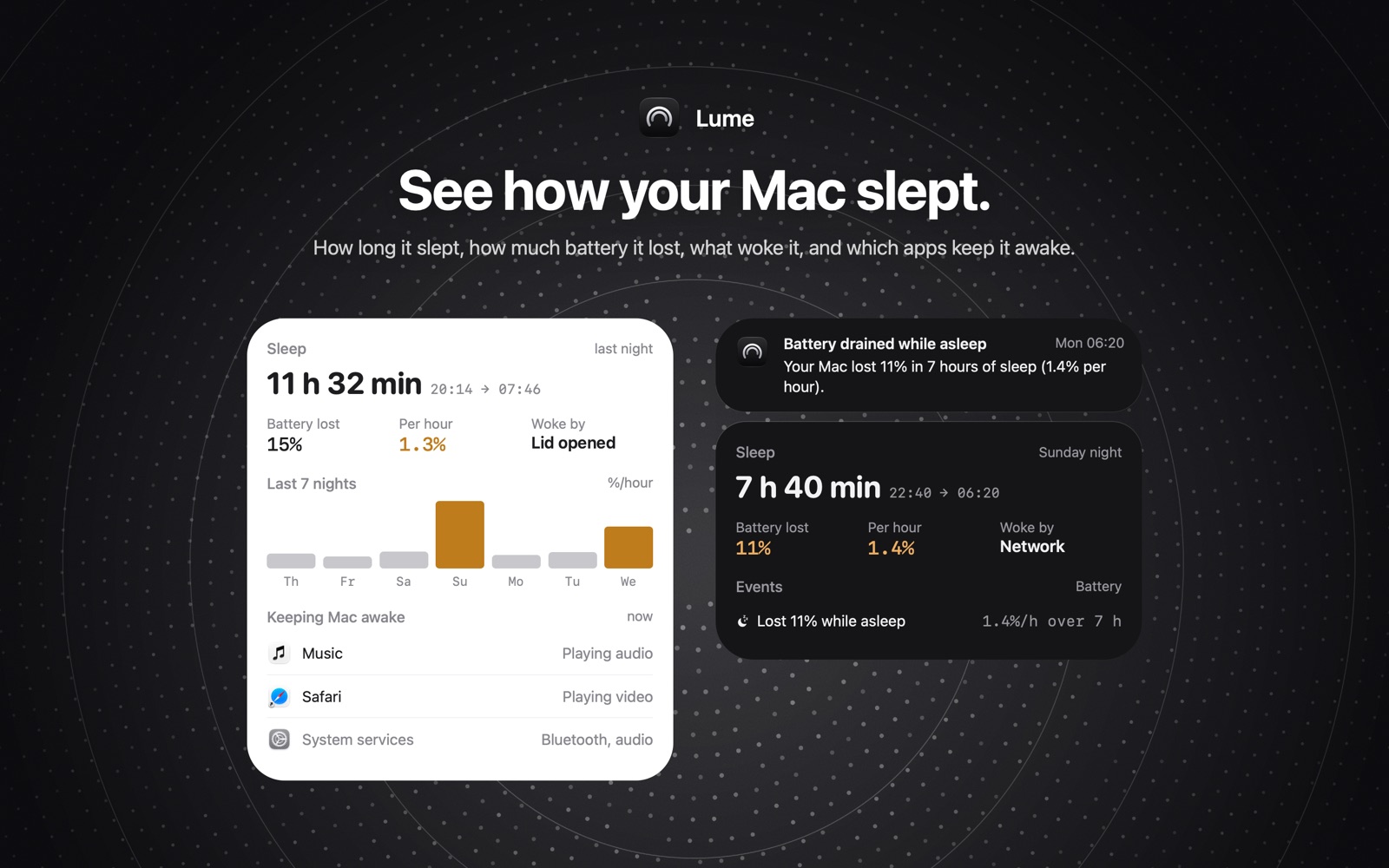
For the most recent sleep it shows how long the Mac slept and the clock times, for example 11 h 32 min, 20:14 → 07:46. Under that are three readings:
- Battery lost, in percent.
- Per hour, the battery lost per hour asleep, the same rate you'd work out from the log. On a night spent on the charger it says "on power" instead.
- Woke by, a short label such as Lid opened, Network, or Scheduled task.
Below that, Last 7 nights is a bar chart of the drain per hour for each night, so one bad night stands out against the week. A night with unusually heavy drain shows in amber, and Lume sends a "Battery drained while asleep" notification with the percent lost, the hours asleep, and the rate.
The card starts filling in from the first sleep after you install Lume. It can't show nights from before that.
On a Mac without a battery, like a Mac mini or an iMac, the same card is on the Power page. It shows when the Mac fell asleep and woke, and the chart shows hours asleep.
When the built-in tools are enough
If you only want to know whether last night was bad, the Battery Level graph answers that, and it costs nothing. The pmset log goes deeper than Lume, with every dark wake, wake request, and reason string. If something keeps waking your Mac and the cause isn't obvious, read the full log.
Lume works out the hourly rate for you, puts the last seven nights side by side, and sends a notification when a night drained heavily. If you want a longer record, Lume Pro's battery history shows the average drain while asleep and how many nights drained heavily over the last 90 days. Pro is $9.99 once, with Family Sharing.
If the Mac is slow or hot during the day rather than drained overnight, start with why is my Mac slow and the fan loud.
FAQ
How much battery should a Mac lose overnight while asleep?
Apple doesn't publish a number. Measure your own Mac on a few quiet nights to learn its normal drop, then look into any night that loses several times more.
Does a closed lid mean the Mac is asleep?
Closing the lid puts a MacBook to sleep, but a sleeping Mac can still wake briefly in the background. Those wakes show up as DarkWake lines in pmset -g log.
Why does Lume say "on power" for Per hour?
The Mac was on the charger when it went to sleep, so a drain rate wouldn't mean anything. Lume still shows how long it slept and what woke it.
Lume 0.2.0 is free on the Mac App Store, for macOS 14 or later. More about the app is on the Lume page.